
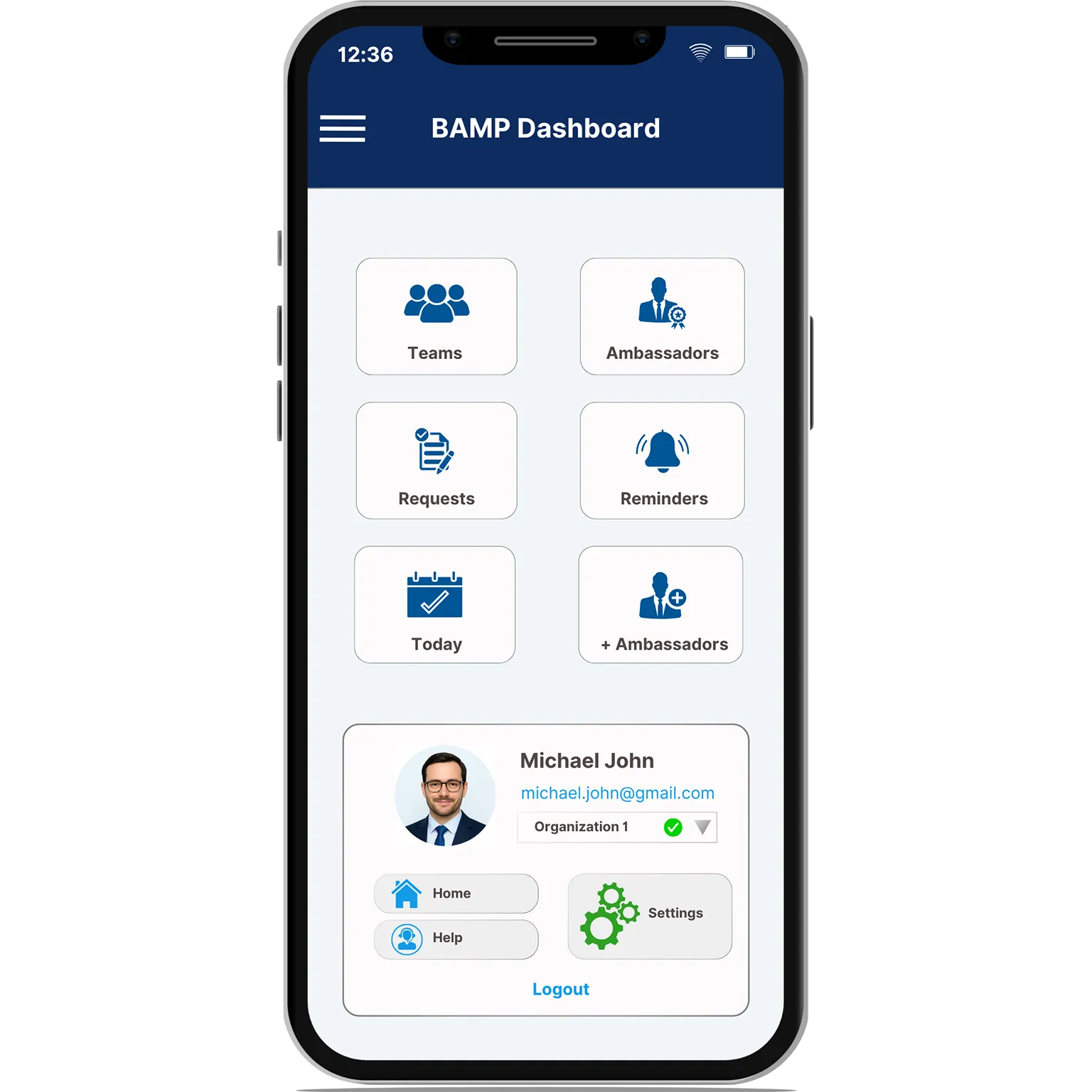
The BAMP Dashboard brings everything you need into one clean, powerful interface—so you can act fast, stay organized, and move between tasks without missing a beat. From managing teams to tracking reminders, it’s your mission control for everything that matters.
Each feature below showcases how the dashboard supports efficient workflow and simplifies complex tasks.
Quickly move between sections like Requests, Today, and Reminders without digging through menus. Whether you manage 5 Ambassadors or 500, everything is right where you expect it.
Built with clarity in mind—simple layouts, clean icons, and no distractions. You’ll find what you need instantly, even if it’s your first time logging in.
Visual alerts update in real time, so you never miss a request, reminder, or time-sensitive task. Stay focused and act fast—without switching screens.
Work across divisions or clients effortlessly. BAMP makes it easy to toggle between organizations—no logout or reload needed.
Users can see all sections available in BAMP, but access is clearly marked. If a feature is locked, the system notifies them that they don’t have permission—keeping navigation transparent while preventing unauthorized actions.
BAMP’s dashboard isn’t just a menu—it’s a launchpad. Get instant access to your top tasks the moment you log in, so you can lead teams, track deliverables, and keep every moving part in sync
Whether you’re in the office or on the go, BAMP’s dashboard brings everything together, so you can focus on what matters.
From marketing managers to operations teams—see how different roles rely on the dashboard daily.
The dashboard shows notifications for Requests, Reminders, and Today events.
No, the dashboard layout is system-defined to ensure consistency and ease of use across all users.
You cannot update the company logo or name yourself. These details are managed and updated by your organization's admin.
Your name and email address are entered during user registration. To make changes, you’ll need to contact your organization's admin.
You can only see the organizations linked to the email address you used to sign in. If you have other organizations under different email addresses, simply sign out and sign in again using the correct email.

Tanya Creswell
Operations Analyst