
BAMP lets you tailor Roles and permissions for every user—so teams stay focused, data stays protected, and operations run smoother across the board.
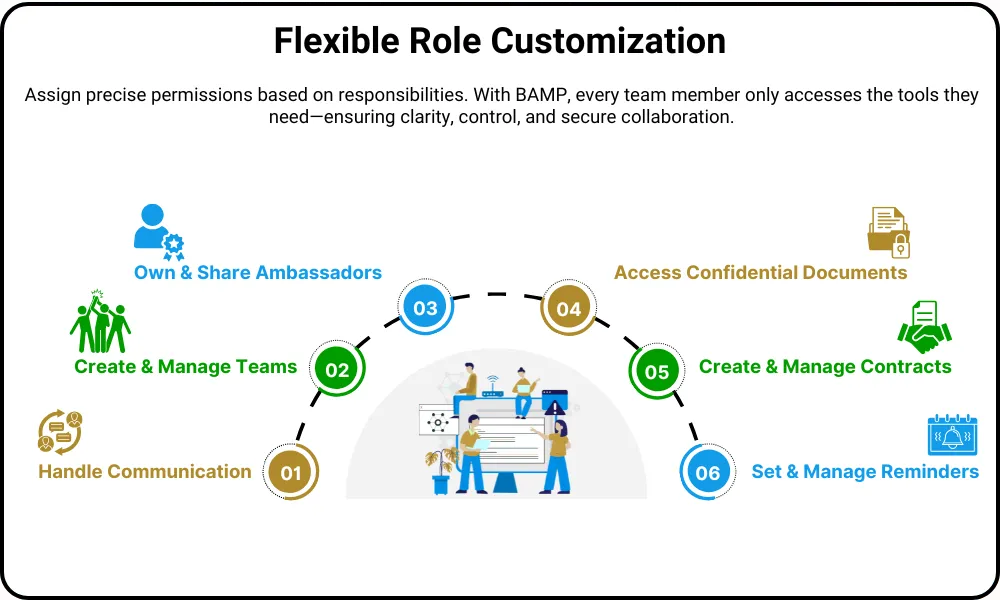
Give every user exactly what they need—and nothing they don’t. Whether you’re assigning content creators, finance managers, or compliance leads, BAMP’s customizable roles help you stay secure, aligned, and productive across your organization.
Need someone to upload contracts but not view health records? Or assign Ambassadors without accessing financials? BAMP gives you the tools to make it happen—without overlap, confusion, or risk.
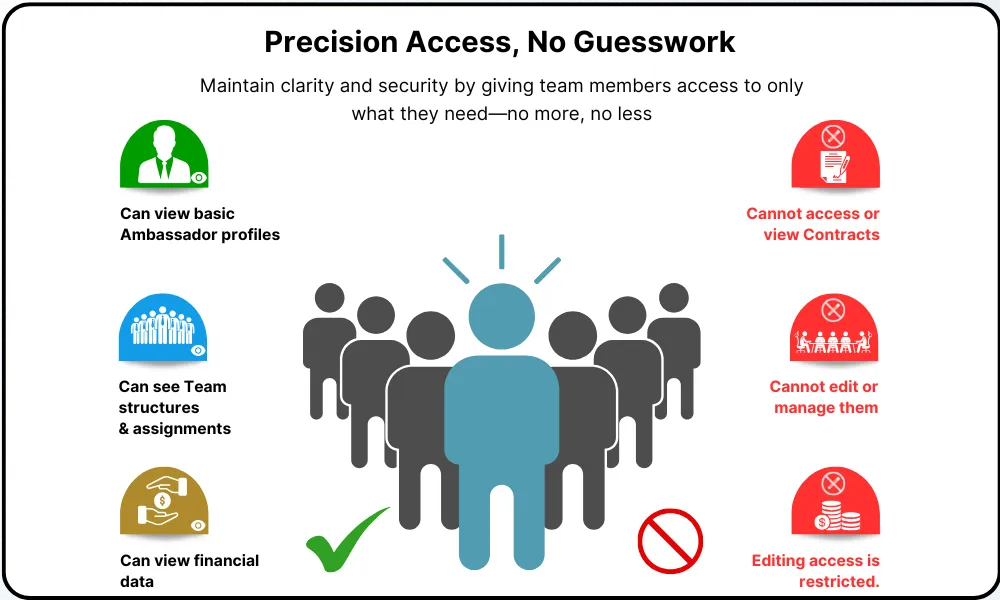
Precision Access, No Guesswork
Define access to every tool and feature—so teams only see what they need to get their job done. No more mistakes. No more delays.
✔ Create & Share Ambassadors
✔ Manage Teams
✔ Access Contracts & Documents
✔ Handle Requests & Reminders
✔ View Finance
✖ Restrict Access to Sensitive Areas
✖ Block Unauthorized Edits
Select from BAMP’s expert-designed Roles to match your team’s needs. Enable and assign Roles to users based on responsibilities—no need to build from scratch or manage complex configurations.
Assign users to one or more Roles based on their responsibilities—ensuring the right people get the right access at the right time.
Give users the flexibility to wear multiple hats. BAMP lets you assign multiple roles to one person without compromising data security.
From Team creation and Ambassador profiles to Requests and Reminders—everything is permission-controlled and role-aware, so you always know who can do what.
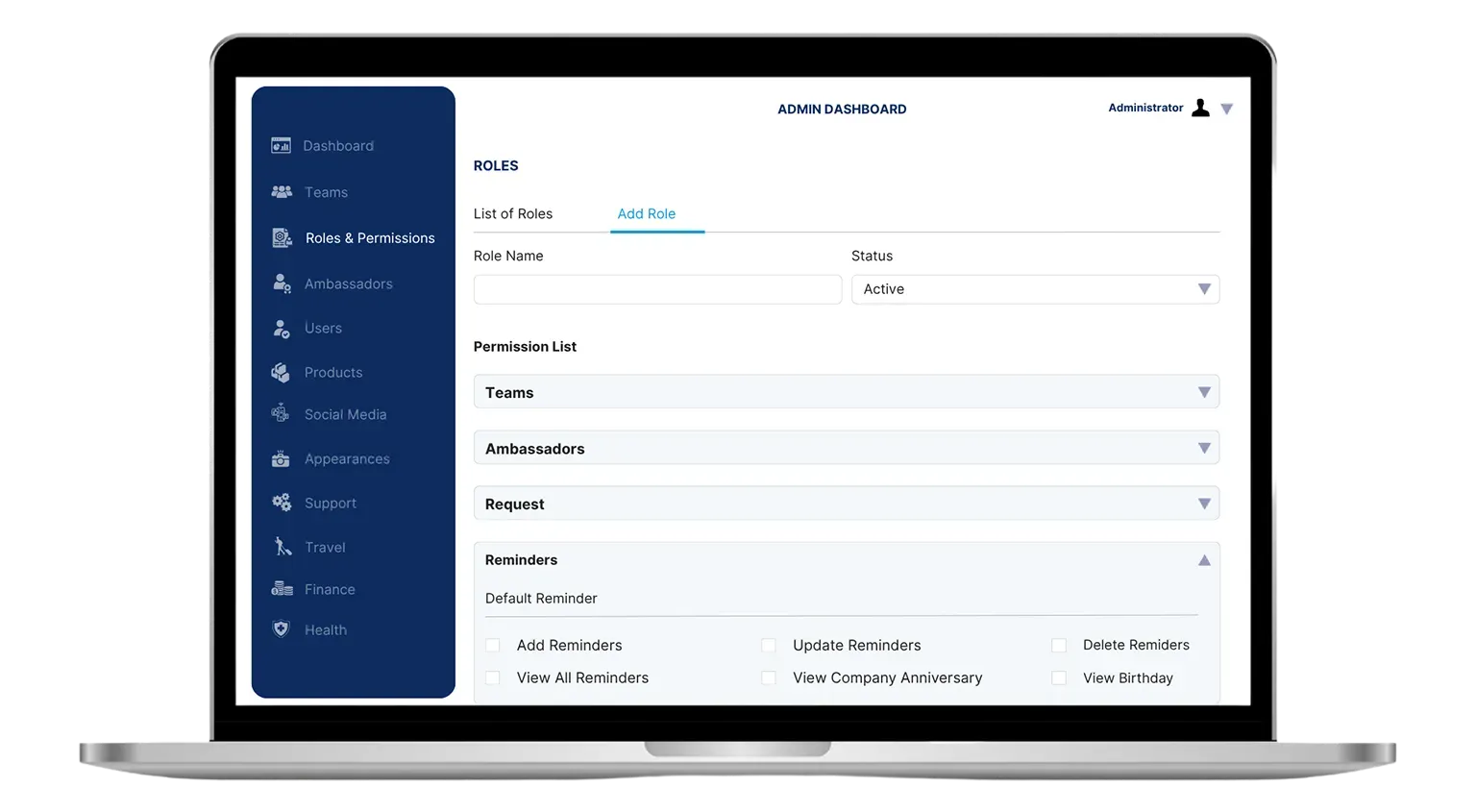
As your organization grows, assigning access the right way gets harder—but BAMP makes it easy. Roles act as permission bundles you assign once, and reuse often—so every user sees only what they need, when they need it.
Key Benefits:
Manage access smarter, not harder—with BAMP’s customizable roles.
Customize roles for every department, project, and team function.

Marcus Bell
System Administrator
In BAMP, a Role defines what a User can see and do within the Mobile Application. Each Role controls permissions like managing Teams, handling Ambassador data, sending Requests, working with Contracts, and accessing Finance or Support modules. Assigning the right Role ensures users operate within their business responsibilities securely and efficiently.
Roles are critical because they:
A single User can have multiple Roles assigned at the same time. This allows flexible permission management when employees have overlapping or evolving responsibilities.
There is no limit on the number of Users who can share the same Role.
Many Users can hold the same Role simultaneously, helping companies easily scale teams and maintain uniform access control across departments.
No, companies cannot customize or create new Roles directly. BAMP provides 8 default Roles that are standardized and cannot be edited, deleted, or duplicated by Organization Admins. If a company needs special permissions outside the default options, they must request custom configuration from the BAMP Global Admin Team.
BAMP offers only default Roles to:
If an employee retires, the Organization Admin should:
Assigning Roles carefully protects Ambassador privacy by:
Proper Role management helps companies comply with data protection policies while allowing efficient Ambassador operations.